帝国CMS列表模板和内容模板过滤smalltext简介中的空格、换行

帝国CMS的内容简介如果采取自动生成的方式,会产生空格、换行,这种数据读取到页面上肯定是不行的,必须过滤处理。
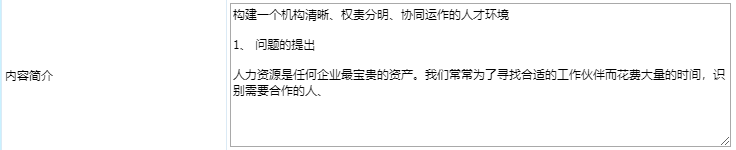
一、内容模板使用以下代码,可过滤smalltext简介中的空格、换行:
<?
$qian=array(" "," ","\t","\n","\r");
$hou=array("","","","","");
$smalltext=str_replace($qian,$hou,$navinfor[smalltext]);
echo $smalltext;
?>
二、列表模板过滤smalltext简介中的空格、换行,方法如下:
1、列表内容模板(list.var)右侧,勾选“使用程序代码”
2、采用以下代码:
$r[smalltext]=str_replace(array("\r\n", "\r", "\n", "<br />", "</p>"),"",str_replace("<p>","",$r[smalltext]));
$listtemp='<li><p>[!--smalltext--]</p></li>';
列表样式$listtemp中的内容自行修改。
Copyright Notice: This article is an original work. Copyright belongs to A君博客. Please contact the author for permission before reprinting.
Article URL: https://nipang.cn/ecms-smalltext.html
If you have any questions or concerns about this article, feel free to leave a comment. I will try my best to respond as soon as possible.